 Matthijsanddermotduffy
fc7e09952f
Matthijsanddermotduffy
fc7e09952f
Menu icons sit visibly high inside their round buttons in the iOS
companion app, and one pixel high everywhere else. The card's icon
wrapper (`advanced-camera-card-icon`) is slotted into `ha-icon-button`,
whose label renders slotted content inside a plain `<span>`. The wrapper
is an `inline-block`, so it rides the text baseline and leaves the
font's descender space underneath it: the span grows taller than the
icon (measured: 24.5px around a 22.5px icon under Roboto), the button's
flex layout centers the *span*, and the icon lands high by half the
descent.

That descent is a property of the active font, which is why the offset
differs per platform: about 1px under Roboto, and about 2px when the
font stack resolves to a system font, as on iOS, where it is clearly
visible inside the round menu button background. Slotted Home Assistant
icons do not show this because they are laid out block-level via
`--ha-icon-display`, which the card already sets; the card's own wrapper
element reintroduces the inline-block one level up.

**Change:** lay the wrapper out block-level wherever it is slotted into
`ha-icon-button` (`button.scss`, which also covers the submenu and
next/previous controls). Block layout has no baseline, so the label span
shrinks to exactly the icon and the icon centers.

**Verification:**

- The structure (flex button, label span, slotted icon) rebuilt
standalone in Playwright Chromium and WebKit: with an inline-block icon
the offset is 1px under Roboto and 1.75 to 2px under system fonts, in
both engines; with a block icon it is 0.0px in every engine, font, and
button size tried.
- Measured on a live HA 2026.8.3 dashboard (45px menu buttons): before,
every menu icon center sat 1px above its button center; after, 0.0px for
both a standard menu button and a conditional
`advanced-camera-card-menu-icon` element.
- `yarn run test`, `yarn run test:browser` (chromium), `yarn run lint`,
`yarn run typecheck` pass.

---------

Co-authored-by: dermotduffy <dermot.duffy@gmail.com>



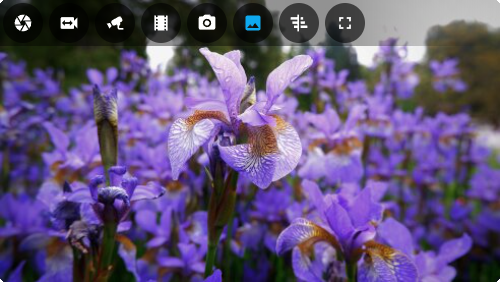
Advanced Camera Card
Formerly known as: Frigate Card
A comprehensive camera card for Home Assistant.
- Live viewing of multiple cameras.
- Clips, snapshot and review browsing via mini-gallery.
- Automatic updating to continually show latest clip / snapshot.
- Support for filtering events by zone and label.
- Arbitrary entity access via menu (e.g. motion sensor access).
- Fullscreen mode.
- Grid or carousel/swipeable media, thumbnails and cameras.
- Direct media downloads.
- Lovelace visual editing.
- Full Picture Elements support.
- Theme friendly.
See full documentation.